
Settings
Estimated reading: 3 minutes
When a connection is established with Salesforce, the following settings can be changed within CampaignSuite that affect the way CampaignSuite communicates with the CRM.
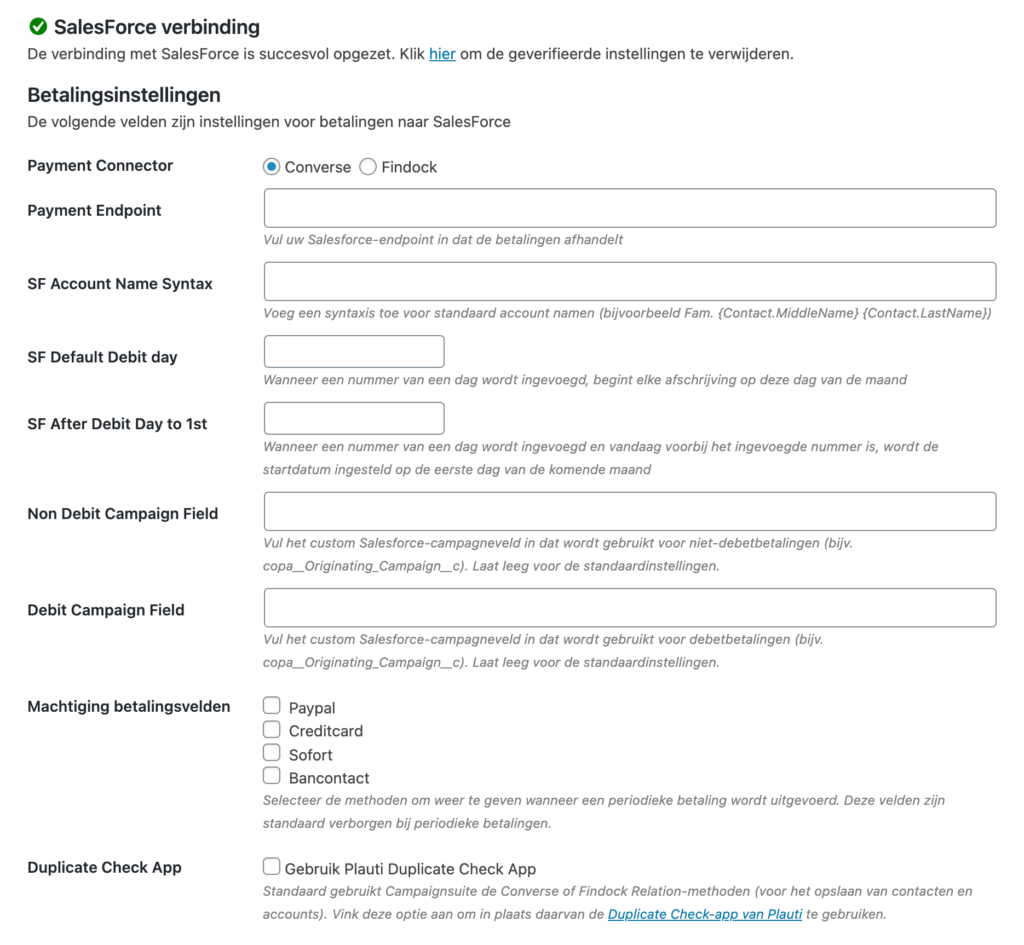
Payment settings
- Payment Connector
Select your current Payment Connector within the Salesforce instance here. We currently support Converse and Findock (v1 and v2). - Payment Endpoint
Enter the correct endpoint here which can be used for communication with, for example, Converse or Findock. These settings can often be found at the Site settings of your Salesforce instance. - SF Account Name Syntax
By default, the Name of an Account is composed by {Contact.FirstName} {Contact.LastName} . Set a different syntax in this field if the name must be different. For example Fam. {Contact.MiddleName} {Contact.LastName}. - SF Default Debit Day
When a donor issues an authorization, the start date is always the day the donation is made. If this should be a fixed day of the month, enter it in this field. - SF After Debit Day to 1st
When a number of a day is entered here and a donor issues an authorization on a day of the month that is later than the specified number, the start date of an authorization will be set to the 1st of the following month. - Non Debit Campaign Field
CampaignSuite determines on the basis of the Payment Connector and the Source Connector which custom fields should be used for a non-debit payment to SalesForce. If this field needs to be different, enter it here (e.g. copa__Originating_Campaign__c) . - Debit Campaign Field
CampaignSuite determines based on the Payment Connector and the Source Connector which custom fields should be used for a debit payment to SalesForce. If this field needs to be different, enter it here (e.g. copa__Originating_Campaign__c) . - Payment field authorization
When a recurring payment is made, CampaignSuite automatically hides the payment methods Ideal, Paypal, Creditcard, Sofort and Bancontact. Check here the methods that should not be hidden. - Duplicate Check App
For financial and non-financial forms, CampaignSuite will by default use the Relation API options from Converse or Findock. This API takes into account the Salesforce Duplicate Rules.
Provided your organization has the Plauti Duplicate Check App, tick it here. Every connection with regard to a Contact and / or Account will first go through the App. Then possibly via the payment API.
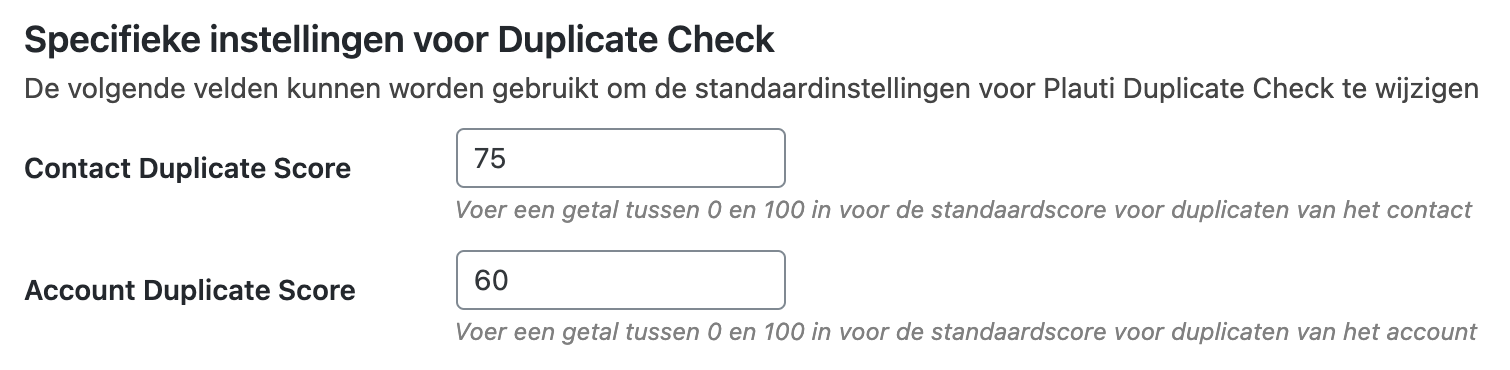
Specific settings for Duplicate Check
When CampaignSuite uses the Duplicate Check, the API will always be called first if a Contact / Account combination has to be stored. The advantage of this is that you can determine in the settings of the Duplicate Check App when a duplicate is found or not. This is based on scores. In these CampaignSuite settings you can determine these scores for an Account and a Contact. See this page for more information on using scores.
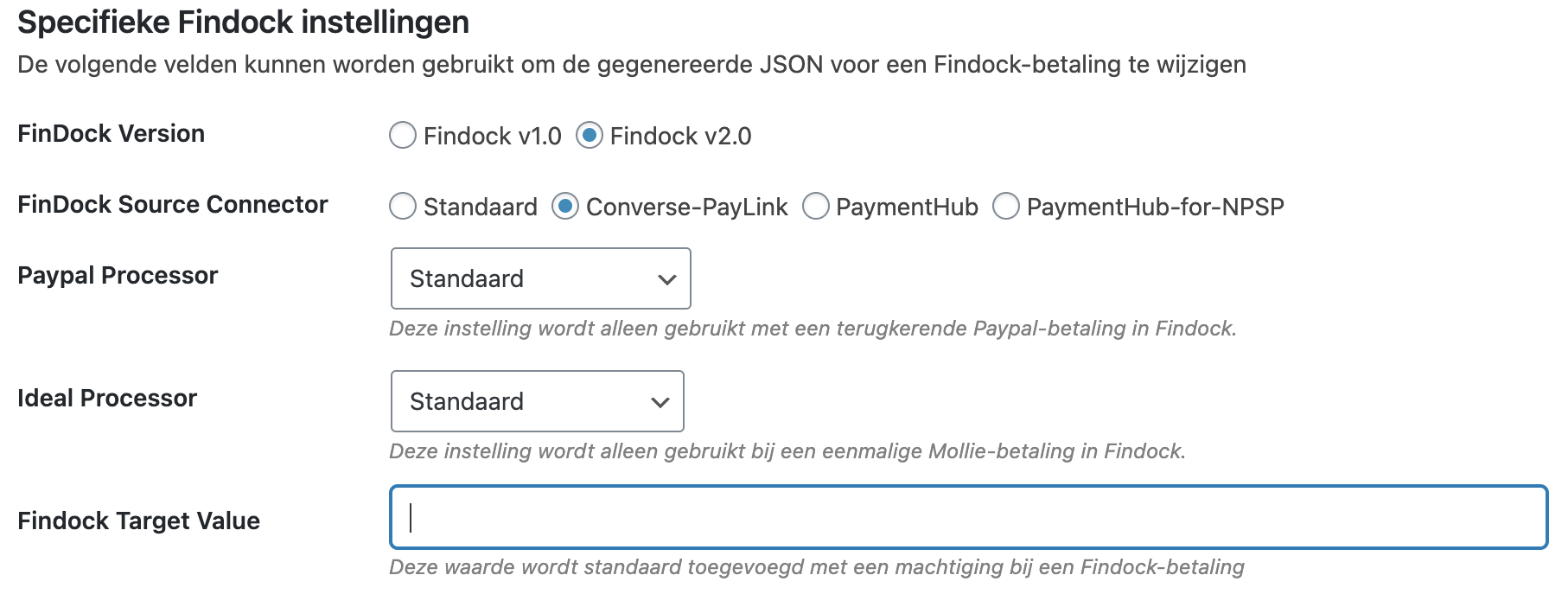
- Findock Version
Indicate here whether you want to use Findock v1 or v2. - Findock Source Connector
Select the Source Connector you are using in the Findock configuration. - Paypal Processor
If your Paypal Processor deviates from the standard, you can indicate this here. This setting is only used with a recurring Paypal payment in Findock. - Ideal Processor
If your Ideal Processor deviates from the standard, you can indicate this here. This setting is only used with a one-time Mollie payment in Findock. - Findock Target Value
The Target field is available in Findock’s API call. This value is added by default with a Findock payment authorization.