When a visitor has completed a form, a notification can be sent by email. When creating a new form, a notification is created by default for the WordPress admin (Administrator notification). This notification will send an email to the WordPress admin address with the subject New submission from {form_title} . This notification is sent immediately when the submission is saved.
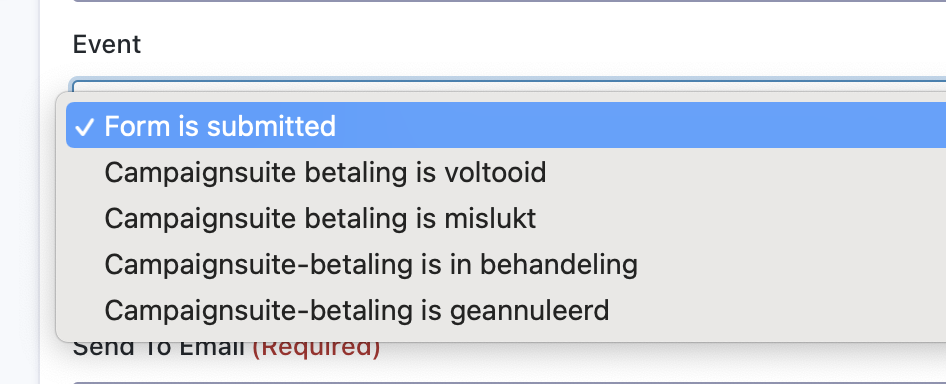
Once CampaignSuite has been activated, four extra ‘moments’ will be added from which you can choose to have a notification sent:
CampaignSuite payment has been completed When the status of a payment is set to completed (Collected), this notification will be sent.
CampaignSuite payment failed When the status of a payment is set to Failed, this message will be sent.
CampaignSuite payment is pending When the status of a payment is pending (Pending), this notification will be sent.
CampaignSuite payment has been canceled When the status of a payment is canceled (Canceled), this notification will be sent.
In this way it is therefore possible to only send an e-mail to a donor when the payment was actually successful.