If CampaignSuite is activated and the form makes a transaction, a Google E-commerce script will be added by default to the thank you message of the Gravity Forms form.
If your form confirmation does not have Text but Page , then it is also possible to use a shortcode on the page where the donor ends up after a successful payment in order to still have the Google E-commerce script executed. Then add the following to this page:
[ecommerce]
Advanced E-commerce Settings
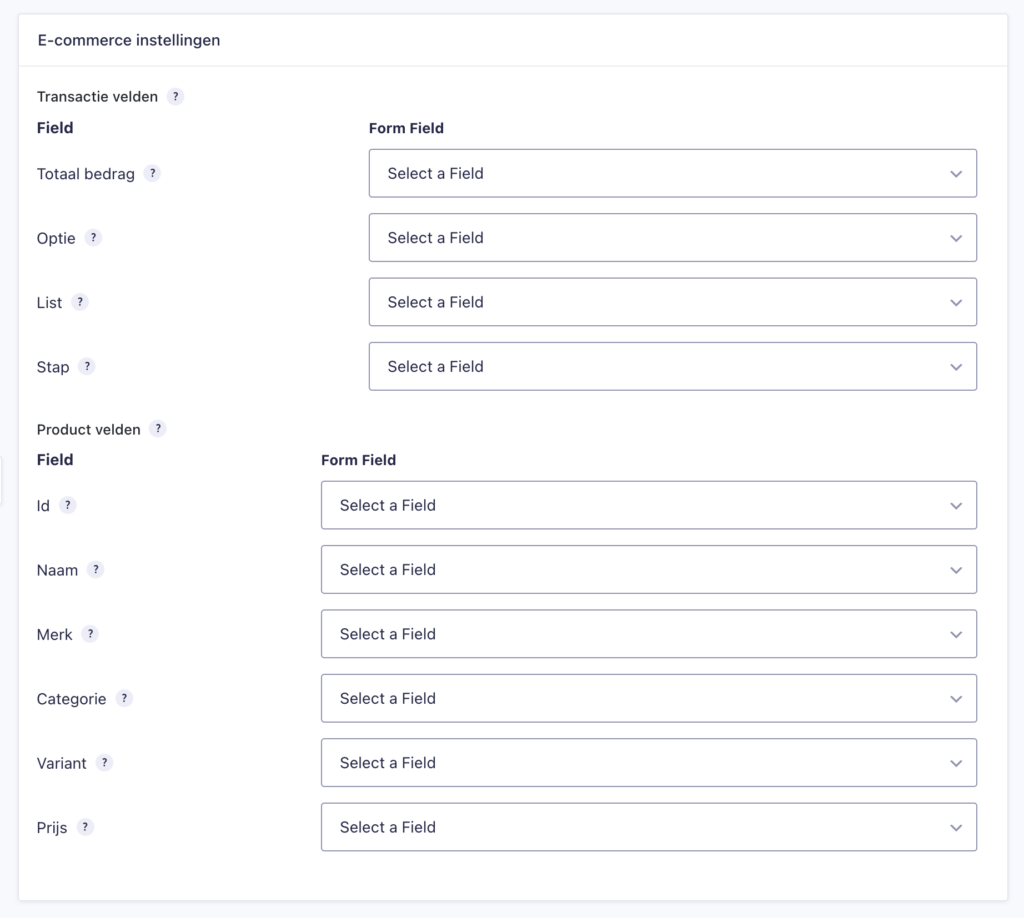
An extensive feature of CampaignSuite is to be able to make more settings for the E-commerce code. This feature is not included in the basic package. Please contact us if you are interested in this extension.
In E-commerce settings you can set all fields of the E-commerce script. This option is often used with hidden fields in the form. The visitor does not see these fields, but you can have them pre-filled with values. You then link this to the E-commerce field in the settings.