
Hide prefilled fields
With each Gravity Forms field you can choose to hide it if its value is pre-filled. Follow the steps below to set this up for a field:
- Edit a form
- Click on a field
- Click in the right column on the tab Advanced
- Click the option Hide if pre-filled
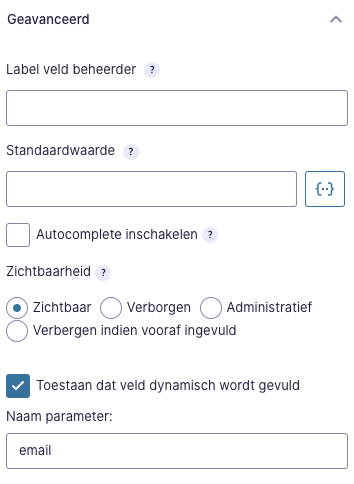
This now indicates that the field will be hidden if the value is pre-filled. This also applies to the Gravity Forms option Allow field to be filled dynamically.
When you set this, the field will also be hidden if its value is given in the URL.
Marketing Cloud and Salesforce
This function also works if the value of the fields is filled in by data from Marketing Cloud or Salesforce